

If you find yourself applying the same filters over and over again in Flexmls, there’s a faster way to start every search.
With the new Set as Default Search feature, you can save a pre-filtered search so your preferred criteria are automatically applied every time you begin a new search. That means less repetitive setup and more time focused on finding listings for your clients.
This feature is especially helpful if you regularly search the same locations. For example, you can automatically start every search with your preferred cities, ZIP codes, counties or other commonly used filters already applied.
Unlike a standard search template, this feature saves both the fields you use and the filter values you enter. So instead of just saving the ZIP code field itself, you can save your preferred ZIP code as part of your default search. Note, the saved default search will appear moving forward, regardless of what property type you are searching for.
Steps to Set a Default Search
After you log in to Flexmls, navigate to Quick Search and set the filters you consistently use.
Click the Set as Default Search button to save the search filters you currently have. The next time you start a search, you’ll see the pre-filtered search load automatically.
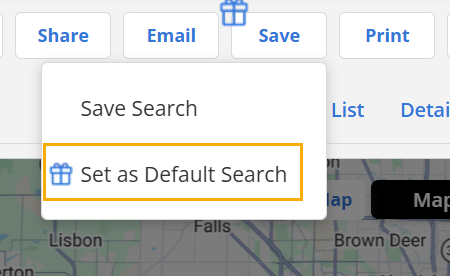
To reset your Default Search, either click Set as Default Search with the new filters entered, or click the Reset Filters button (next to Add a Field) and start a new search.