
Did you forget your Flexmls password? You can reset your password in a few steps. Here is a quick guide to resetting your password.

How to Reset Your Flexmls Password
read more
Did you forget your Flexmls password? You can reset your password in a few steps. Here is a quick guide to resetting your password.

Does your client want to live within a certain distance from work? The quickest and most effective way to search for properties within a certain distance is by using the radius search in Flexmls.

Can you not access WIREdata while using Safari on an Apple product? If you are experiencing issues accessing any third-party websites, you will need to disable Prevent cross-site tracking.

Do you want to access the MLS while on the go? The Flexmls App for Real Estate Pros provides a fast, easy way for you to search listings and manage contacts from Flexmls. The app is available on your smartphone and tablets.

If you need to close out a listing in Flexmls, but the selling agent is a non-Metro MLS member, you need to follow specific steps to close the listing correctly. You need to select Non-Metro MLS member and put the information in the private remarks section.

Is your client looking for a house in a particular ZIP code? Flexmls allows you to use a ZIP code overlay to select your desired ZIP codes efficiently and see the boundaries of each ZIP code.

If your contact information has changed, it is crucial to update it as soon as possible in Flexmls. Your contact information appears on reports, member searches and emails, so it’s important the information remains up to date at all times.

Flexmls makes it easy to create a Comparative Market Analysis (CMA). A CMA estimates a home’s value based on recently sold data of similar properties in the immediate area. Here is a quick tutorial on how to create a Full CMA in Flexmls.

It’s common for homebuyers to change their search parameters throughout the buying process. You can easily edit their saved search in Flexmls to match your client’s needs. But before you make any changes, here are a few nuances to keep in mind.
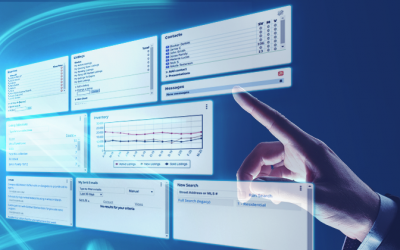
Did you know you can customize your Flexmls dashboard? You can modify your dashboard by selecting from a list of preassembled options or by creating your own. It is easy and convenient, allowing you to set your Flexmls dashboard to your desired preference.

Are you planning on virtually staging your listing photos in the MLS? You can do this, but you must disclose that you have virtually staged the photos in the public remarks section.

Zillow is now a licensed brokerage entity and Metro MLS member. Zillow’s change from a real estate media company/portal to a brokerage will allow them to display listings enrolled in the IDX program starting June 1.

The Video Library allows members to learn about relevant topics to grow their skills at their convenience. The available videos are on various topics, including Flexmls® and Data Integrity.
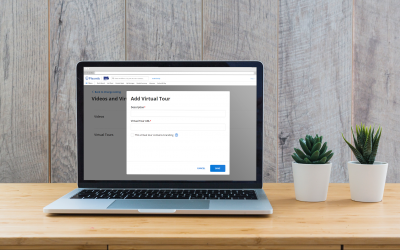
Flexmls has made it easier for users to add, edit and manage videos and virtual tours. Flexmls also no longer requires you to upload a branded and unbranded version of your videos or virtual tours.
Flexmls® makes it easy to view past and present listings from a specific member or office in Quick Search. By searching for listings from a particular member or office in Quick Search, you can tailor your search to your desired listing preferences to net more precise results.